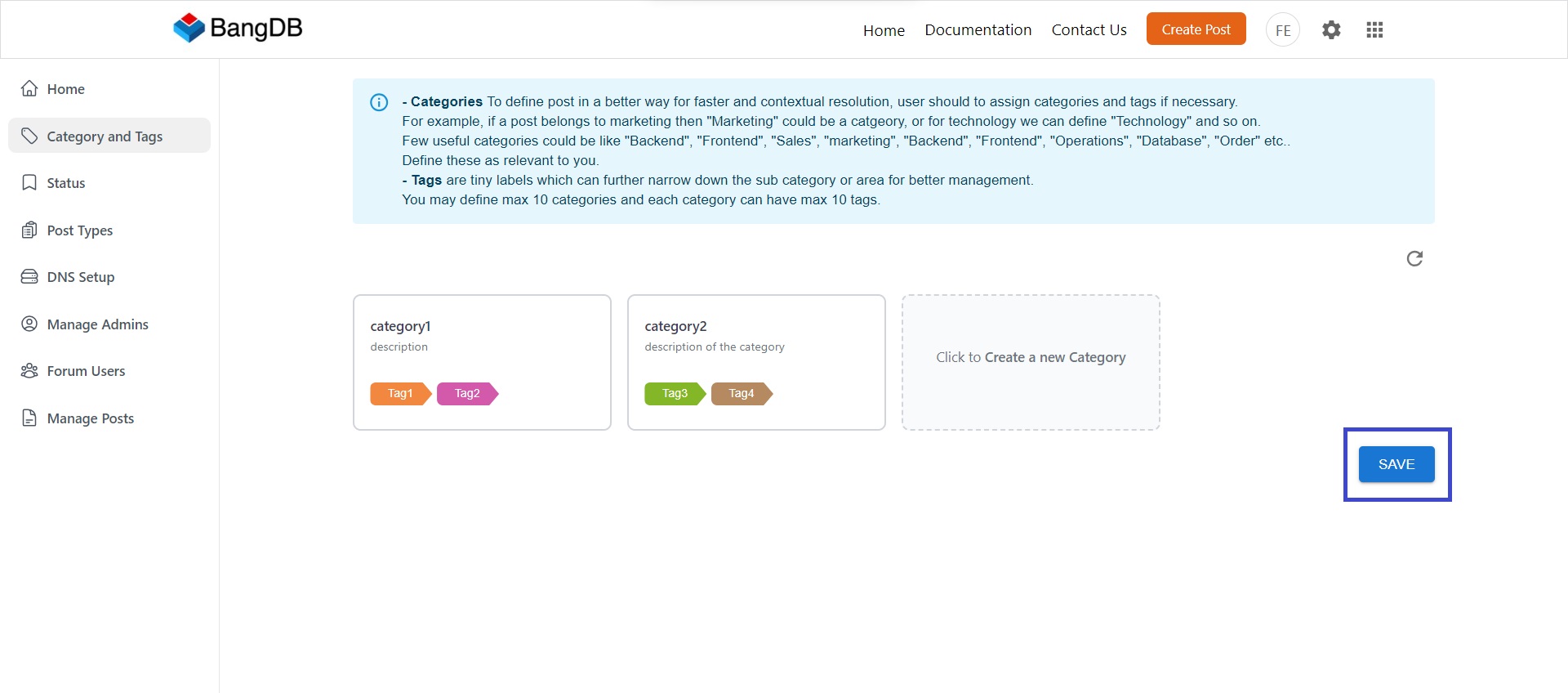
Category and Tags
Category
To define post in a better way for faster and contextual resolution, user should to assign categories and tags if necessary. For example, if a post belongs to marketing then "Marketing" could be a catgeory, or for technology we can define "Technology" and so on.
Few useful categories could be like "Backend", "Frontend", "Sales", "Marketing", "Backend", "Frontend", "Operations", "Database", "Order" etc. Define these as relevant to you.
Tags
Tags are tiny labels which can further narrow down the sub category or area for better management. You may define max 10 categories and each category can have max 10 tags.
Go to the "Settings" page from the top header.
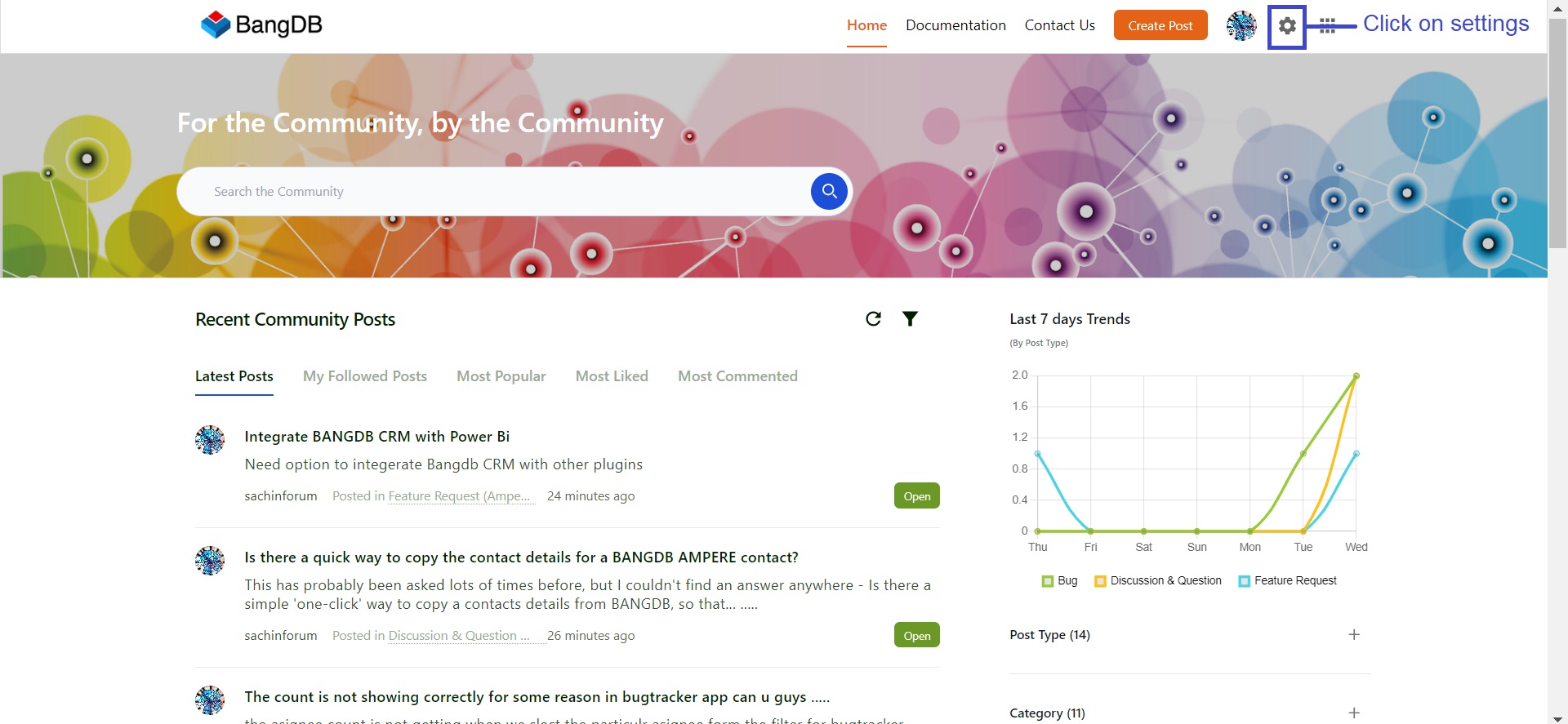
From the settings page, click on "Category and Tags".
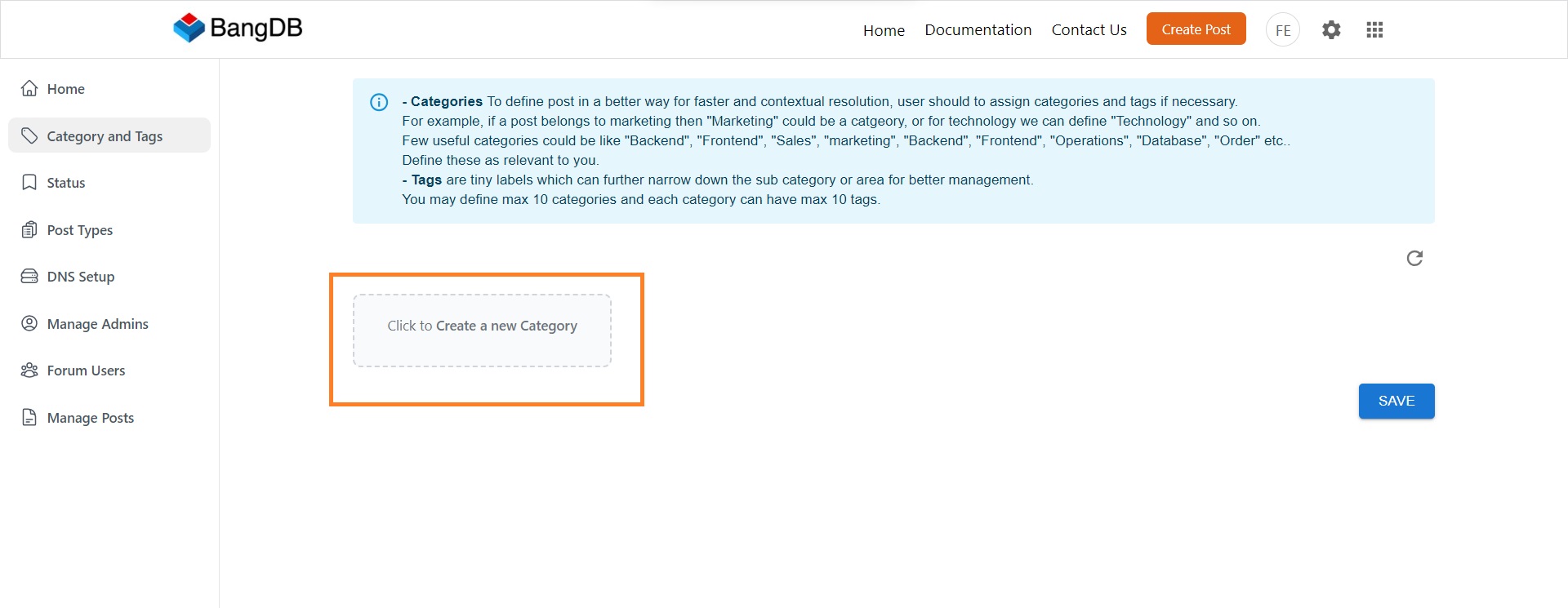
In order to create a new category, Click on "Create new category" box.
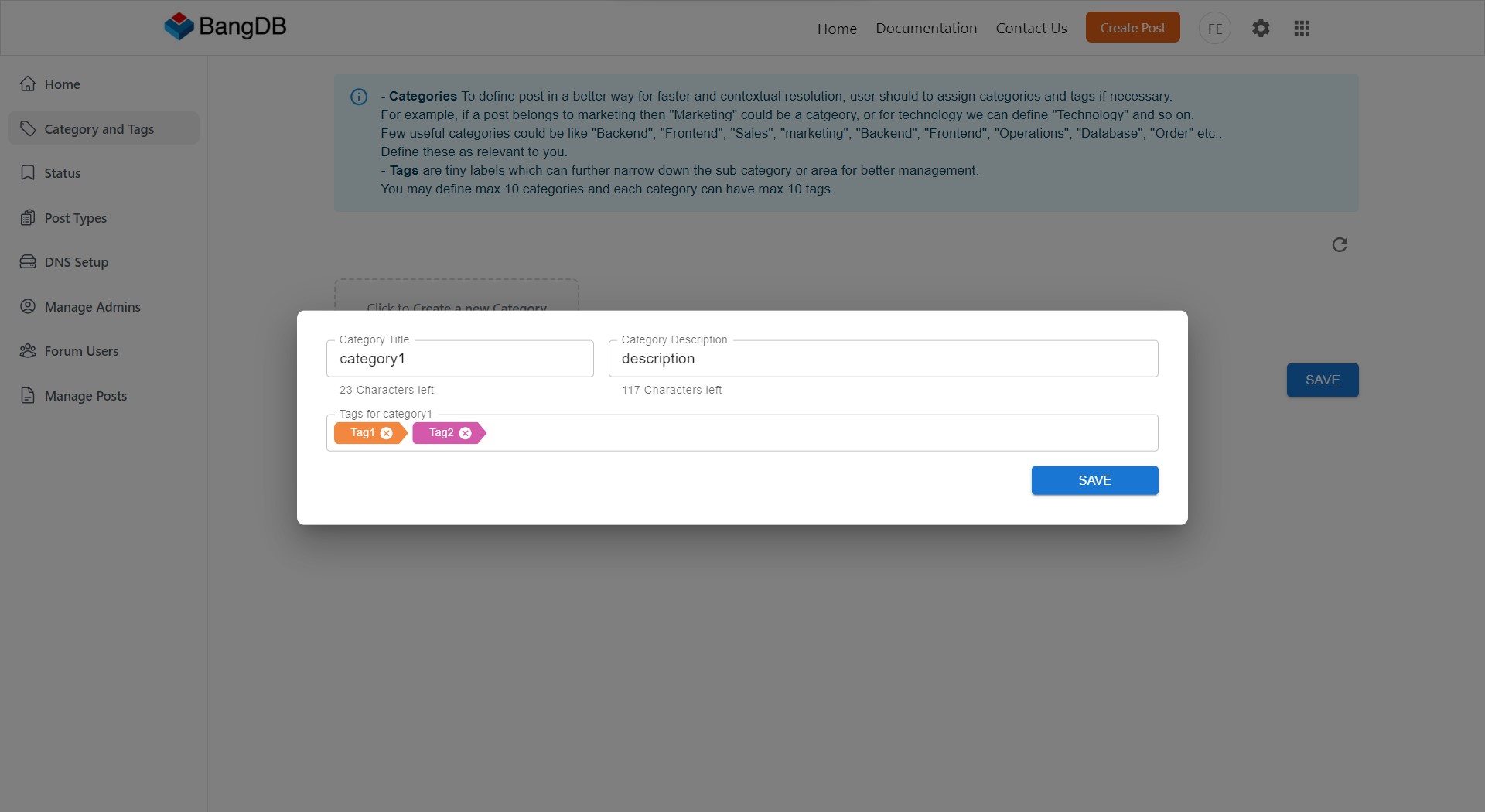
Fill the category details and click on save.
Once you have added the categories as per your requirement, Click on "Save".